
The best dating apps for professional singles in Philadelphia are the ones that produce compatible conversations within a workable commute and a limited weekly app routine—not the ones that generate the most profiles. Start with Hinge, Bumble, Coffee Meets Bagel, The League, and Match, then rank the options with a personal 20-point workload score covering local reach, intent and career-filter usefulness, scheduling friction, and paid-feature value. A Center City workday, a University City commute, and an occasional suburban trip can call for very different distance settings, even on the same app.
Published by Match Pace
When Long Workdays Leave Only Short Windows for Dating Apps

Professional dating becomes inefficient when an app stays open all day and turns every new profile or message into an interruption. A workable baseline is two focused response windows on most days: one short review period for new matches and one period for replies that need an answer. Notifications can be limited to active conversations, while a daily intake cap keeps a large discovery pool from creating a backlog. The goal is not to reply instantly; it is to keep promising conversations moving without repeatedly reopening the app.
Use the same routine during an equal trial of Hinge, Bumble, Coffee Meets Bagel, The League, and Match. For each service, note whether the available profiles fit a realistic Philadelphia travel pattern, how many conversations remain active, and whether messages lead to a specific next step. A service that needs less browsing but produces no practical conversations is not low-workload; it has simply shifted the problem to match scarcity.
Philadelphia Match-Pool Coverage by Commute Area
- Commute Area: Center City, including Rittenhouse Square and Old City Location Setting: Use a radius that reflects routes you would realistically repeat after work, not the broadest area an app permits. Advantage: A central starting point can make it easier to identify matches for whom a first meeting in a mutually reachable district is practical. Limitation: A broad setting may surface profiles whose listed Philadelphia location masks an inconvenient regular commute.
- Commute Area: University City and the west-of-Schuylkill work corridor Location Setting: Treat University City as a distinct routine when assessing distance, especially if weeknight availability is limited. Advantage: The score reflects whether an app produces people whose timing and travel expectations fit this side of the city. Limitation: A match can look nearby on a map yet require more coordination than a professional schedule allows.
- Commute Area: Suburban commute corridors Location Setting: Include suburban matches only when the profile, conversation, and proposed meeting area support a repeatable travel plan. Advantage: A wider search can add compatible options when a narrow city-only setting becomes repetitive. Limitation: More geographic reach can raise scheduling work if most conversations stall over where and when to meet.
Effective Apps Reduce Scheduling Friction Without Hiding Useful Matches
Scheduling tools matter only after the app has shown enough profile detail and relationship-intent information to justify the conversation. Availability prompts, date-planning cues, or calendar-oriented features can reduce back-and-forth when they help two people identify a realistic window; they add little when profiles leave priorities unclear. The useful trade-off is focused planning without concealing otherwise compatible Philadelphia matches behind overly rigid filters. Before treating any current feature as decisive, check how it works in the version and tier you are considering.
Overly Narrow Career Filters Can Shrink Compatibility Instead of Improving It
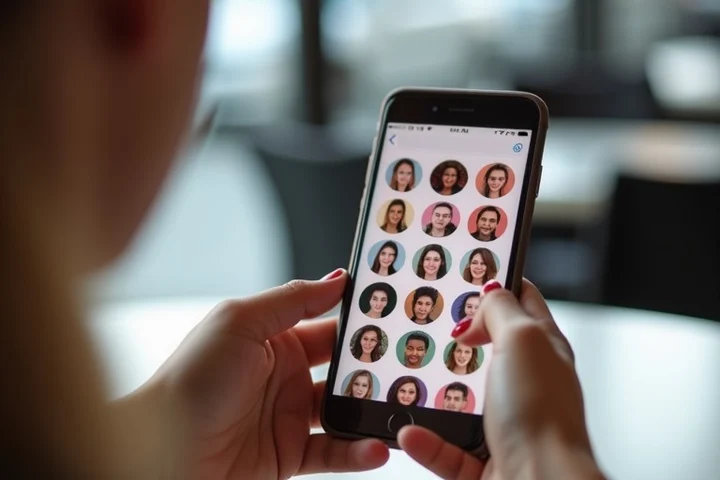
Education, occupation, and industry details can help a professional assess communication style, schedule demands, or shared expectations. They become counterproductive when they operate as stand-ins for relationship intent, availability, or compatibility. A profile with a different job title may still fit a Center City or University City routine, want the same kind of relationship, and communicate with the same level of consistency.
Warning signs include a filter setup that produces very few local profiles, repeatedly excludes people with adjacent careers, or gives more weight to employer and degree labels than to stated relationship goals. Industry privacy can also matter: people who prefer not to disclose a workplace should not be treated as less credible for that reason alone. A better score asks whether a filter reduces irrelevant conversations, not whether it creates a professionally uniform feed.
Curated Introductions or High-Volume Swiping
- Format: Controlled introduction trial: Coffee Meets Bagel or The League Time Demand: Potentially easier to contain when the current delivery format limits how many profiles require review. User Control: Best assessed by checking whether the available settings still allow enough choice over distance, intent, and dealbreakers. Local Reach: A smaller stream needs enough Philadelphia and commute-compatible options to remain useful. Conversation Quality Test: Track whether a limited set of introductions produces replies and feasible plans, rather than only polished profiles.
- Format: Broad discovery trial: Hinge, Bumble, or Match Time Demand: Can rise quickly when profile volume exceeds the time available for thoughtful review and replies. User Control: Useful when the current app settings let you narrow discovery to practical commute and relationship-intent criteria. Local Reach: A larger discovery pool can help test Center City, University City, and selected suburban corridors separately. Conversation Quality Test: Track how many matches become sustained conversations without requiring constant swiping or repeated scheduling follow-up.
Evidence That a Paid Tier Will Actually Save Time
A paid tier deserves credit only when it removes a recurring bottleneck in your own trial. First record a normal week of free use: time spent reviewing profiles, profiles rejected because available filters were too broad, active conversations, and conversations that reached a workable Philadelphia meeting window. Then inspect the current paid-feature description and account terms before subscribing. Filters are time-saving when they exclude a clearly irrelevant group; visibility tools are time-saving when they produce better-qualified conversations instead of more notifications; messaging or planning tools are time-saving when they shorten a specific recurring delay.
Use a 0-to-5 score for each app on local commute fit, filter usefulness, scheduling efficiency, and weekly attention required, with 5 meaning the app consistently supports your stated routine. Add a separate paid-tier modifier only after a brief before-and-after comparison: one point for each paid function that demonstrably reduces review time, improves match relevance, reduces messaging repetition, or helps turn mutual interest into a feasible plan. Do not count a feature merely because it sounds premium. If the paid version increases incoming activity without reducing decisions, it raises workload rather than lowering it.
For Philadelphia professionals, Hinge and Bumble provide sensible broad-discovery trials, while Coffee Meets Bagel and The League are worth testing when controlled introductions better fit the available time. Match belongs on the same scorecard. The better choice is the one that fits your commute and reduces weekly decisions.
Useful official links
- Center City District — official information — Center City District
- University City District — official information — University City District
- Old City District — official information — Old City District
- Coffee Meets Bagel — official information — Coffee Meets Bagel
- City of Philadelphia — official information — City of Philadelphia
- Hinge — official information — Hinge